 When, considering buying a used or even a new laptop, the first thing that you need to do is to determine your computing needs.

- Word processing
- e-mail
- browsing web pages
- moving the laptop from home to work (weight)
- gaming
- on-line shopping
- a database application
- personal finance
- battery power is important

Check out the Minimum Systems Requirements needed to do all your applications. They will have not come with the laptop, as refurbished laptops often only include the Operating System (OS). If they don't include an installed OS, then be prepared to install it yourself. This is not for those that don't know what they are doing, so research what is involved before buying one without an OS.
Once you understand what you really need, you need to determine your budget.

Most old laptops do not have working batteries. If you need a battery, shop around to figure out how much they cost. You should know that on older laptops, batteries don't last more than an hour or two, so purchasing a new battery for longer battery life may not be worth the expense. And by all means, stick with a name brand? IBM,
Dell
,
Toshiba
, Compaq-HP.
If you are new to computers and you want to browse the World Wide Web, you will need to obtain the services of an ISP (Internet Service Provider). There are basically two types of Internet access options: broadband (cable modem, DSL, satellite) and lowband (dial-up). Broadband is the preferred type since download speeds can range from 128kbs to 6000kbs. The faster that the better, of course. However, if your budget is tight, dial-up works just fine for typical browsing and e-mail usage.
Your choice of ISP's will be dependent on two things: budget and location. If the budget allows and you don't mind paying upwards of $35-50+ per month, you can purchase a broadband connection. However, even if money were no object, your physical location will determine what types of services are available to you. Broadband is not available everywhere (except for satellite). If you have a telephone line, you can always choose dial-up. AOL's bread and butter are dial-up users. Do your research to determine what is available in your area and compare costs.
And for you gamers out there, you definitely need a reliable broadband connection. Gaming over a lowband connection can be a frustrating experience and sometimes even impossible. You will need to check out the minimum systems requirement for the games you are interested in using to make sure the CPU speed and the RAM and graphic chip requirements will support the games you wish to play.
Once you have figured out your budget and your needs and the requirements of your laptop it is, time to search for the laptop of your desires.
Some people choose to search at www.ebay.com. If you do be sure to check out the seller to be sure you will have a smooth transaction.
Many people don't want the hassle of bidding, so use your favorite search engine: Google or Yahoo or MSN for the terms "used laptops" or "refurbished laptop."
An important thing to keep in mind is how willing the vendor treat you should there be a problem. If you don't like their attitude or they don't pick up the phone shop elsewhere. Price is important, but if you have a problem and spent the least amount of money possible the vendor may not have any resources available to help you after you have purchased and spent your money.
If all the above seems like too much of a hassle, then buy a new computer. It will cost around $700 + but will come with a new battery and a one year warranty, although some new ones seem to have only 90 day warranties. It wills also have the latest Windows XP system and an 800 number to call the vendor, should their be a problem. I'd call the 800# first before buying to get an idea what kind of support they will provide.
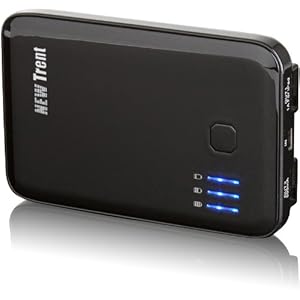
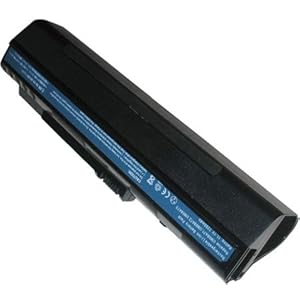
 There are 10 basic using method:
 1. The smaller Better Consider ultraportable or thin and light as a portable desktop replacement. The smaller Acer laptop battery use less energy. Go to a 4200rpm hard drive uses less power that turns the hard drive running at 5400 rpm.
![Super-Capacity Li-ion Battery For Acer Aspire One Series replace UM08A31 UM08A51 UM08A71 UM08A72 UM08A73 UM08A74 UM08B31 UM08B71 UM08B72 UM08B73 UM08B74 Laptop Notebook Main Battery [ 7200mAh 9 cells Black ]](http://ws.amazon.com/widgets/q?MarketPlace=US&ServiceVersion=20070822&ID=AsinImage&WS=1&Format=_SL160_&ASIN=B001NW57MU&tag=gesturebuy-20) 4. Acer Laptop Batteries watch your Use Keep an eye on your battery consumption ACER laptop and see how much power is left. Use the icon of the laptop battery power in the system tray or you can buy batteries that led meters away from the battery.
4. Acer Laptop Batteries watch your Use Keep an eye on your battery consumption ACER laptop and see how much power is left. Use the icon of the laptop battery power in the system tray or you can buy batteries that led meters away from the battery.
 8. Keep Cleaning the battery and its connections clean and free of debris. Clean your battery terminals Acer laptop regularly with a cotton swab with alcohol on top.
 General cautions should be observed when running the battery of your laptop. A laptop should be plugged into the AC adaptor whenever possible. This will ensure that your laptop battery is always charged and ready to go when it is needed. Another tip is to not expose your laptop to extreme weather conditions, especially very cold temperatures. A cold battery will run much slower than one that is warm. Also, try not to use your laptop for long periods of time without recharging the battery. This can cause information to be lost if the battery sudden stops working.
 When using your laptop battery you will want to make sure you check the battery charge frequently. Charge your laptop when you see the battery getting low. Whenever you can, plug in your computer. It is a good idea to always plug in your computer so that it is ready to go. Also, take care of your battery. It is important to clean the laptop battery and keep it free of dust and debris. Using canned air or a cotton swab on a regular basis can do this. The battery will run longer if it is cleaned frequently.

![Super High Capacity High Quality Li-ion Battery [8800MAH 12 Cells] For HP Compaq Presario V3000 V6000 Series Pavilion DV2000 DV2084EA DV2130US DV2500 DV6000 DV6100 DV6174 DV6200 DV6500 Series, Laptop Main Battery](http://ws.amazon.com/widgets/q?MarketPlace=US&ServiceVersion=20070822&ID=AsinImage&WS=1&Format=_SL160_&ASIN=B002KDOJLG&tag=gesturebuy-20)
 Laptop batteries are becoming more advanced that other types of batteries. In the past they were constructed of NiCd or NiMH which provided less power and did not recharge well. Lithium polymer batteries are the newest revelation in battery technology and they are leaps and bounds beyond old metal batteries. They provide the right amount of power and charge in a fraction of the time of metal batteries. The advantages of lithium batteries make new laptop batteries more practical. Lithium batteries therefore help improve the life of laptop batteries and also make them a more valuable battery for the money.
